rednote downloader
A broader guide for RedNote users who want to save videos, image posts, or albums without installing extra software.

A rednote downloader is not just for one kind of post. RedNote content can be a short video, a single image, a multi-image note, a product reference, a recipe, a travel plan, or a creator’s step-by-step tutorial. A useful downloader should help you save the public media attached to the post without forcing you to install another app.
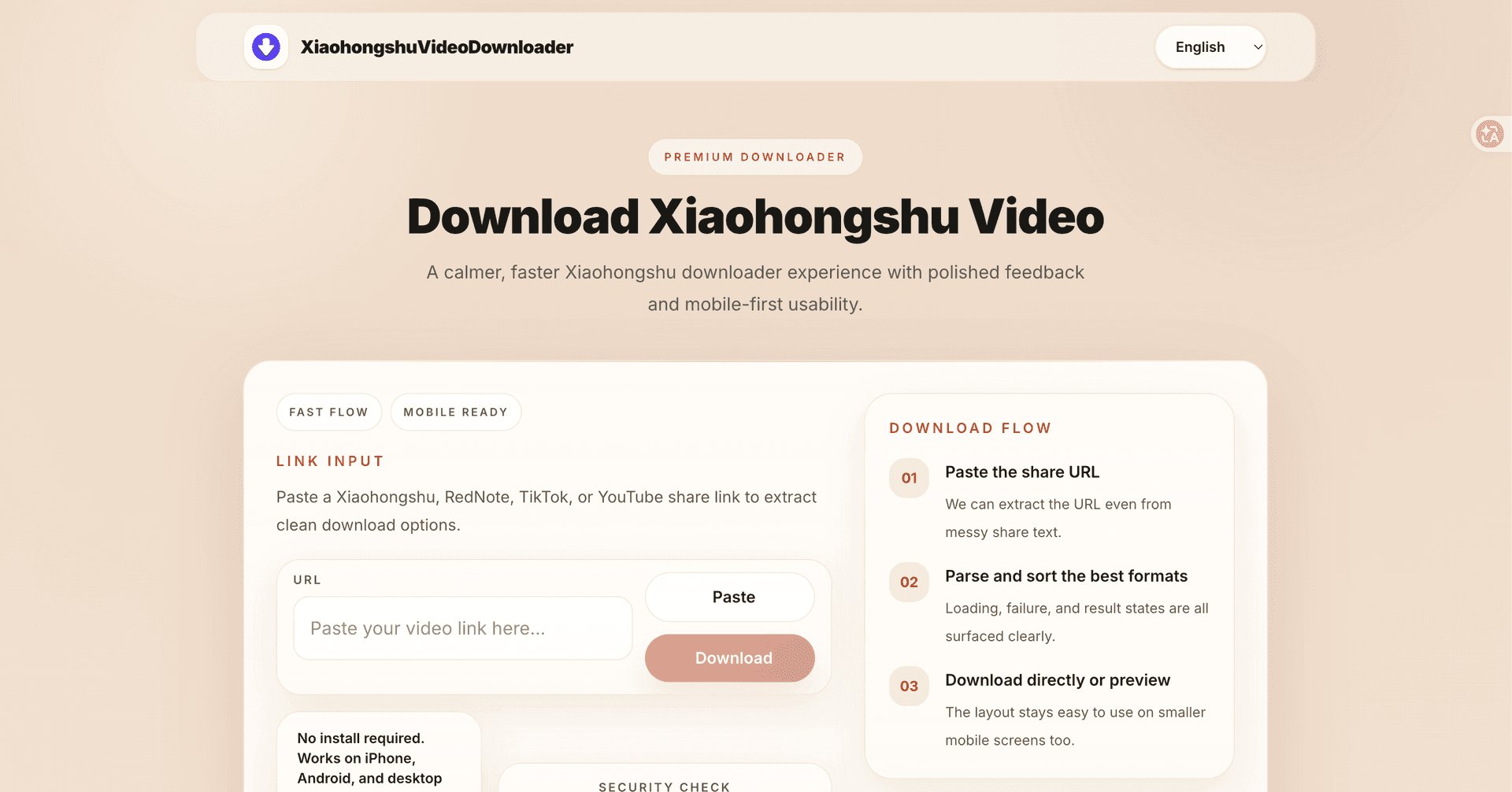
The simplest workflow is still the most reliable: copy the share link from RedNote, paste it into a browser-based tool, review the parsed result, and save the files you need. The details below explain how that works across videos, images, albums, and common device differences.
Visual walkthrough


What a RedNote downloader should handle
At minimum, it should accept a public RedNote share link and return the media attached to that post. For videos, that means a downloadable video file when the source is available. For image posts, it should show the images clearly enough that you can save the ones you need. For albums, it should make the sequence understandable instead of forcing you to guess which file is which.
A broader tool is helpful because RedNote users often save mixed content. Someone planning a trip may need a video walkthrough and several map screenshots. Someone building a mood board may need image notes. Someone learning a recipe may need both the video and the written visual steps.
The copy-link workflow
Open the RedNote post and use the share menu to copy the link. Avoid copying only the post text, because captions and comments do not contain the media address by themselves. Paste the full link into the downloader, wait for the result, and choose the file you want to save. If the page returns multiple files, save them in a named folder so you can find them later.
This browser-based flow is especially useful when switching devices. You can discover a post on your phone, send or paste the link on desktop, and organize the downloaded file alongside your notes. It also keeps the process lightweight because you are not installing a dedicated desktop program for a small number of saves.
Videos, images, and albums have different expectations
Video results depend on the source file exposed by the public post. Image posts are usually easier to review visually, but albums may include several files, so captions or thumbnails matter. If a post contains both video and images, the result may present multiple media choices. Take a moment to verify what you are saving before closing the page.
A useful RedNote saving tool should not pretend every post is identical. Some links produce a single video. Some produce a set of images. Some cannot be parsed because the post is private, deleted, restricted, or temporarily unavailable. Clear feedback is part of a good experience.
Privacy, safety, and fair use
You should not need to log in to use a simple public-link downloader. If a site asks for your RedNote account password, stop. A normal browser workflow only needs the share URL. It is also wise to avoid tools that force unknown file downloads before they show any result.
Use saved files responsibly. Keeping a tutorial for personal study or archiving a recipe for offline viewing is different from reposting another creator’s work. If the file will be published, remixed, or used commercially, get permission and keep credit clear.
Quick answers
What can a rednote downloader save?
It can help save public RedNote videos, images, or albums when the media is accessible from the share link.
Do I need to install an app?
No. A browser-based downloader can work from Safari, Chrome, Edge, or other modern browsers.
Why are some posts unavailable?
The post may be private, deleted, restricted, or the copied text may not include the full share URL.
Can I save RedNote albums?
Yes, when the public post exposes the image files. Review the parsed result and save the images you need.
Related guides
rednote video downloader without watermark
A calm, practical guide for RedNote users who want a clean local copy without installing another app or handing over account details.
Read guide
How to Download Xiaohongshu Photos
A focused guide for saving single-image Xiaohongshu posts in the browser while keeping image quality clean and easy to manage.
Read guide
How to Download a Xiaohongshu Album
A practical guide for saving Xiaohongshu multi-image albums when a single post contains several photos you want to keep together.
Read guide